
SnapFrame turns an old tablet or iPad into a beautiful, always-on digital photo frame connected to your Home Assistant.
Your photos stay on your own network — no cloud photo service required.


Have an old iPad or Android tablet sitting in a drawer?
Give it a new purpose.
SnapFrame connects your tablet to a photo folder on your Home Assistant server and turns it into a fullscreen photo frame.
You can display your family photos, organize them into albums, show photo information, and even use Home Assistant to control what happens on the screen.
Old tablet + your photos + Home Assistant = a smart photo frame.
| Feature | Description |
|---|---|
| 📸 Photo slideshow | Automatically rotate through your photos |
| 📁 Albums | Organize photos into separate albums |
| 💾 Local storage | Photos can stay on your own network |
| 🔒 No cloud required | No external photo service or account needed |
| 🖼️ HEIC / HEIF support | Automatically convert iPhone photos to JPG |
| 📅 EXIF information | Display photo date and GPS information |
| 🌙 Night mode | Automatically switch the display to night mode during the night |
| 🌤️ Weather mode | Show weather information when triggered |
| 🌡️ Weather badge | Keep the temperature in the corner all day, or only when rain is coming |
| 🗑️ Waste collection reminders | Know the day before which bin to put out |
| 📄 Schedule import | Upload the municipal leaflet, dates are read out of it |
| 🏠 Home Assistant integration | Control SnapFrame using Home Assistant |
| 📟 Ready-made HA entities | Next bin day, photo count and scan state via MQTT |
| 🔐 Optional access token | Viewing stays open, changes need a token |
| 🌍 Multi-language UI | Use SnapFrame in different languages |
| 📱 Old hardware friendly | Give an old tablet a new purpose |
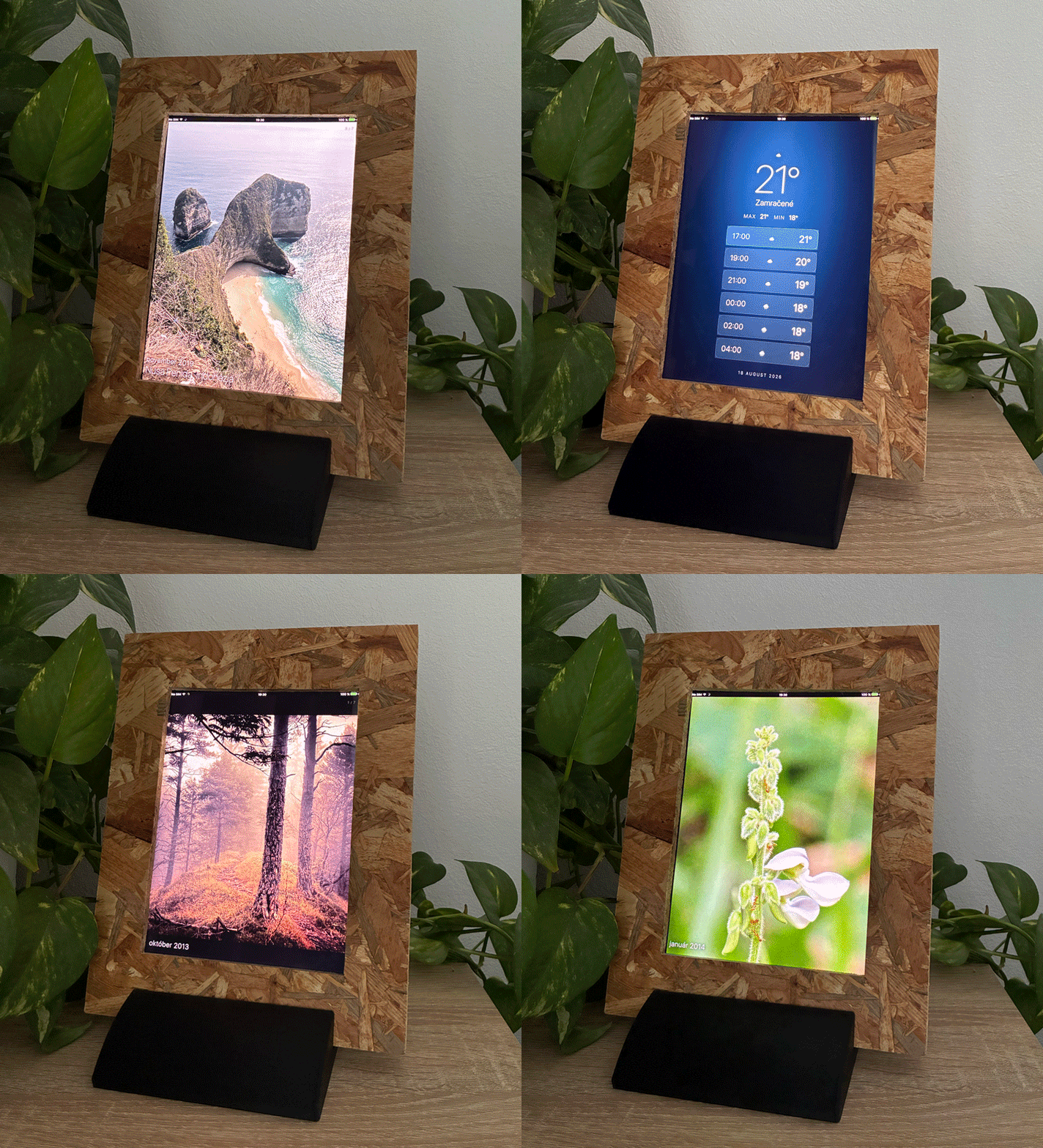
SnapFrame can run fullscreen on an old iPad or Android tablet while Home Assistant handles the rest.
The real power of SnapFrame comes from combining it with Home Assistant.
For example:
Motion detected → wake the photo frame → show weather → return to photos
Or:
Night time → switch to night mode
Or:
Tomorrow is bin day → remind me on the frame (and on my phone)
Or:
Someone arrives home → wake the display
You can build these automations yourself using Home Assistant.
Don't throw away that old iPad just because it can't run modern apps anymore.
If the device can open a modern web page, it may be possible to use it as a SnapFrame display.
This is especially useful for:
- old iPads
- Android tablets
- wall-mounted tablets
- kitchen displays
- family photo frames
- smart home displays
SnapFrame runs as a Home Assistant add-on.
In Home Assistant:
Settings → Add-ons → Add-on Store → ⋮ → Repositories
Add:
https://github.com/emo546/ha-snapframe
After refreshing the Add-on Store, you will see:
SnapFrame Add-ons → SnapFrame
Click Install.
Open the SnapFrame add-on and configure your photo share and other options.
Two worth setting straight away: api_token, so that only you can upload or
delete photos, and language. Everything else has a sensible default.
Once it is running, Open Web UI shows the frame inside Home Assistant; the
tablets go straight to http://<home-assistant>:8099.
For the complete configuration reference, see:
👉 SnapFrame Add-on Documentation
             ┌──────────────────┐
             │   Home Assistant │
             └────────┬─────────┘
                      │
                      ▼
             ┌──────────────────┐
             │    SnapFrame     │
             │   Add-on         │
             └────────┬─────────┘
                      │
             ┌────────▼─────────┐
             │   Samba / CIFS   │
             │   Photo Folder   │
             └────────┬─────────┘
                      │
                      ▼
             ┌──────────────────┐
             │  Old iPad /      │
             │  Android Tablet  │
             └──────────────────┘
Your photos remain under your control and SnapFrame serves them to the tablet over your local network.
I had an old iPad that wasn't really useful anymore.
Instead of letting it sit in a drawer, I wanted to turn it into something useful for my Home Assistant setup:
a simple digital photo frame that could also react to my smart home.
That's how SnapFrame started.
It's open source and I'm continuing to improve it.
Some things I'd like to explore:
- More Home Assistant controls — ingress and MQTT entities (3.0.0)
- More display modes
- Better tablet power management
- More customization options
- Additional photo sources
- Improved tablet compatibility
- Trash management in the app
Have an idea?
👉 Open an Issue and let me know.
Found a bug?
Have an old tablet that works with SnapFrame?
Want a new feature?
I'd love to hear from you.
⭐ If you find SnapFrame useful, consider giving the project a star on GitHub.
SnapFrame is released under the MIT License.
SnapFrame — give your old tablet a new life.