
An Android app for browsing, editing and installing Fit3 (SM-R390) watch faces.
Pick a face from the catalogue, change its background or move its widgets around, check the result, and send it straight to your watch over Bluetooth. Nothing is re-signed, re-packaged or installed as an app — the app edits the watch face's own binary and hands the watch exactly those bytes.
The faces themselves are not in here. The app fetches each package from the device vendor's own store API at runtime, into its own private storage; no watch-face package, container or artwork is bundled with the app or redistributed by this repository.
It is an independent, experimental, personal-use project. It is not affiliated
with, endorsed by, or connected to any device vendor, and it will never be
published to an app store. See NOTICE.md and LICENSE.
| Application ID | dev.fitface.studio |
| Version | 0.1.3 (code 19) |
| Android | 9.0 (SDK 28) or newer |
| Browse the catalogue | Edit the real layout | Every record, listed |
|---|---|---|
 |
 |
 |
| Styles, as pictures | Validate before install | Install over Bluetooth |
|---|---|---|
 |
 |
 |
The rest of the app is in docs/screenshots/: the face sheet
with its style picker, the inspector, the background replacement page, and the
projects list.
All ten of those are captured from an Android 16 emulator, so the watch is not present and the Install page is on step 3 of its checklist. The last step is the one an emulator cannot show:

A face sent from the app over Bluetooth, rendering on a real SM-R390 — no ADB, no cable, nothing installed on the watch as an app.
The watch-face artwork in every image above belongs to its publishers and appears
only to show what the software does — see NOTICE.md.
Browse. Search and sort the Fit3 catalogue by newest, name or face number. Previews and the catalogue itself are cached on disk, so it opens instantly after the first launch.
Edit. Open a face and you get its real layout on a canvas:
- replace the background with any photo, positioned by pinch and drag, or tint it — and on a face that never had one, add a background outright where the container has room for it under the size the watch accepts;
- drag a widget to move it, or hold a nudge button for one pixel at a time;
- resize a widget where that is safe, in 5% steps of the size it shipped at — so Smaller and Larger come back to the same place and the original is always reachable — and be told why when it is not;
- recolour widgets that store their own colour;
- duplicate or remove a widget, with removals kept in a Removed list you can restore from;
- switch between the face's styles — each one shown as a picture rather than a name, so you can see the colourway you are picking — and choose whether an edit applies to the style you are on or to every style that has the same widget.
Each widget row shows the widget itself and what kind of record it is — Image, Sprite, Clock hand, Value, Rule, Composite, Arc or Bar — so you know what you are about to change. Records the canvas cannot draw, like clock hands, are listed separately and explained rather than quietly mixed in.
Check. The Validate page reparses the edited file and shows you what the watch will actually render, plus every structural check. Install stays locked until it is clean.
Install. Send the result to a paired, connected Fit3 over Bluetooth. No ADB, no root, no cable.
Downloads and every committed edit are saved automatically to a private project folder, so Projects reopens your work after the app is closed without downloading again — each project listed with the face it holds. Deleting a project deletes its private copy of the package and the edited file.
- An Android phone running 9.0 or newer, with the watch's companion app and the stock Fit3 plugin installed.
- One Fit3 paired and connected.
- An Internet connection, for the catalogue and package downloads.
A debug APK is attached to each tag on the releases page.
To build it yourself: Android Studio with its bundled JBR, Android SDK 36, and the checked-in Gradle wrapper.
./gradlew \
  -Dorg.gradle.java.home='/Applications/Android Studio.app/Contents/jbr/Contents/Home' \
  :app:assembleDebug
The APK lands in app/build/outputs/apk/debug/. Full build and test instructions
are in docs/development.md.
:core:delivery also needs two accessory SDK JARs that are not in this
repository; the first build fetches them into libs/ and verifies each against a
pinned SHA-256. That is a convenience, not a licence — see
libs/README.md.
The Install page is a four-step checklist. Each step says what it does, and the page refuses to go on while anything is missing.
- Connect the watch in its companion app.
- Grant FitFace Studio Nearby devices access.
- Discover the watch-face and OTA peers. This needs the watch connected, so the stock plugin has to be running and holding it for this step.
- Let the plugin release the channel, because only one app may hold it, then
send. On Android 12 and later that is one switch: turn the plugin's Nearby
devices access off, and the app picks the change up on its own. Older phones
have no such switch, so the plugin has to be frozen instead — the checklist
says so where it applies, and
docs/direct-install.mdhas the walkthrough.
Step 4 is the one people get stuck on: discovery needs the plugin, and the transfer needs it to let go. Peer handles stay cached once found, so a second install does not repeat the setup, and editing after an install re-arms the send button instead of stranding the page. When the transfer finishes, put the plugin back the way step 4 had you leave it, then reconnect the watch.
If a send fails, the page offers Reconnect the watch and discover again beside Try again. A cached peer only lives as long as the connection it was found on, so anything that breaks after step 4 needs the watch connected again: that button puts you back on step 3 with the checklist and the shortcuts you need, without redoing the whole setup. Failures that can only mean a lost peer take you back there on their own.
VMG Channel recorded a walkthrough of the whole flow, from picking a face to it rendering on the watch:
How to Install Custom Watchfaces on Galaxy Fit 3 (FINALLY!)
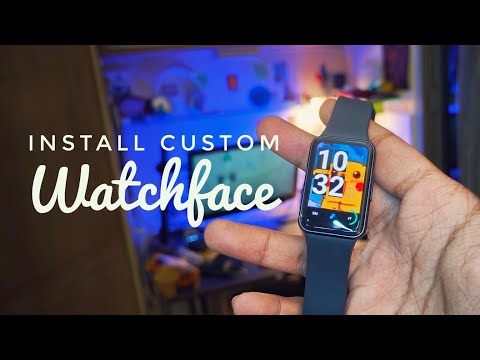
It is a third-party video, made independently of this project and not endorsed by it — the checklist in the app is the authority if the two ever disagree, since the steps above change with the app and a recording does not.
The catalogue-to-watch path works end to end. Against the live 100-face
catalogue, 99 faces carry an editable container and all 99 parse, validate and
open; the hundredth (00254, "Photos") is a customisation companion with no
container at all and is labelled Not editable rather than failing at download.
This is research-grade software for one watch family. A structurally valid file can still be rejected by different firmware, unavailable storage, battery state, or watch-side policy. Delivery, background replacement, adding a background, widget moves and sprite resizes have all been confirmed on an SM-R390; two firmware limits found that way are enforced in the app — a container may not pass 4 MiB, and a sprite may not grow more than 128 px per side past what its face shipped. Neither is documented anywhere, so treat both as measured rather than specified. The photo above is one of those runs: a face sent from the app, rendering on the watch.
docs/— how it works inside: architecture, the container format, the editing model, the install protocol, and development setup.CONTRIBUTING.md— setup, tests, conventions, and what a change has to preserve.AGENTS.md— the traps that already bit this codebase.SECURITY.md— what to report privately, and what is out of scope.NOTICE.md— third-party components, vendor JARs, non-affiliation.
Related work: galaxy-fit3-parser
is an independent read-only Python parser for the same container format, and it
renders previews of every style. Nothing here uses or derives from it — see
docs/bin-format.md §14 for what it covers
and where it reaches further than this project's own derivation.
Source is MIT — see LICENSE. Non-affiliation, the third-party
components, what this repository does and does not distribute, and the terms of use
are all in NOTICE.md. Read it before you use this on anything.